

Review the teacher invitation form
· 1 min read
This guide describes the form controls observed in Rumahsekolah. Final saving and submission were not tested; check the actual result after any action.
Preparation
Use an authorized account and the intended school. Prepare approved information and avoid duplicate records.
Open Manage School → Members → Teachers → Invite Teacher. Other Members tabs are Staff and Administrators.
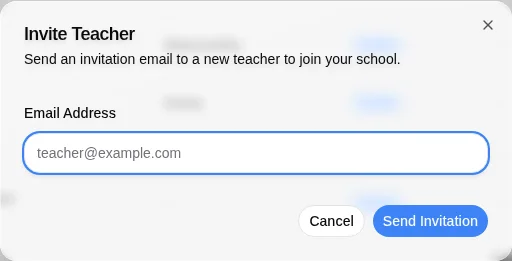
The dialog says it sends an invitation email. Enter the intended teacher’s Email Address; no required asterisk was shown.
Check the recipient before Send Invitation, which sends an email; choose Cancel to leave without sending. No invitation was sent in verification. After an authorized send, check delivery and membership rather than assuming acceptance.
Check the outcome
After an authorized action, check the intended record, placement and status. No saved-success outcome was observed; stop if results differ.
Troubleshooting
Missing controls can indicate a role or setup problem. Ask the school to verify your access; do not create duplicate records or delete data.