

Mulai menggunakan
Find your way around the teacher dashboard
· 2 min read
Find your way around the teacher dashboard
Use your own authorized account and intended school. This guide covers only the visible navigation or controls described below.
- The teacher account reached
Dasbor - Guru. UseBeranda,Pembelajaran,Sekolah, andPesanfor the main areas.
- The learning menu provides
Dasbor,Mata Pelajaran,Jadwal,Kehadiran,Ujian,Tugas, andLaporan. These are entry points, not proof that every action is available for every record.
- For the observed creation forms, open
Tugas→+ BuatorUjian→+ Buat ujian. The separate assignment and exam form guides describe their fields; saving and starting were not tested.
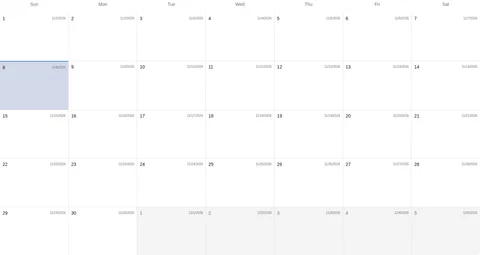
JadwalshowsJadwal Guruwith calendar viewsHari ini,Tahun,Bulan,Mingguand filtersTampilkan semua,Jadwal kelas,Tugas,Ujian. No session cards appeared in the inspected month. The topKelasaction does not establish a class-creation workflow.
- The inspected dashboard had no upcoming classes and no submissions awaiting review. This navigation guide does not cover starting/cancelling sessions, grading or releasing feedback.

Check the page or control actually displayed for your account. No completed submission, membership change or attendance change is established by this guide.
If an expected page or record is missing, ask your school to check access. Never share credentials or create duplicate accounts to bypass access.